

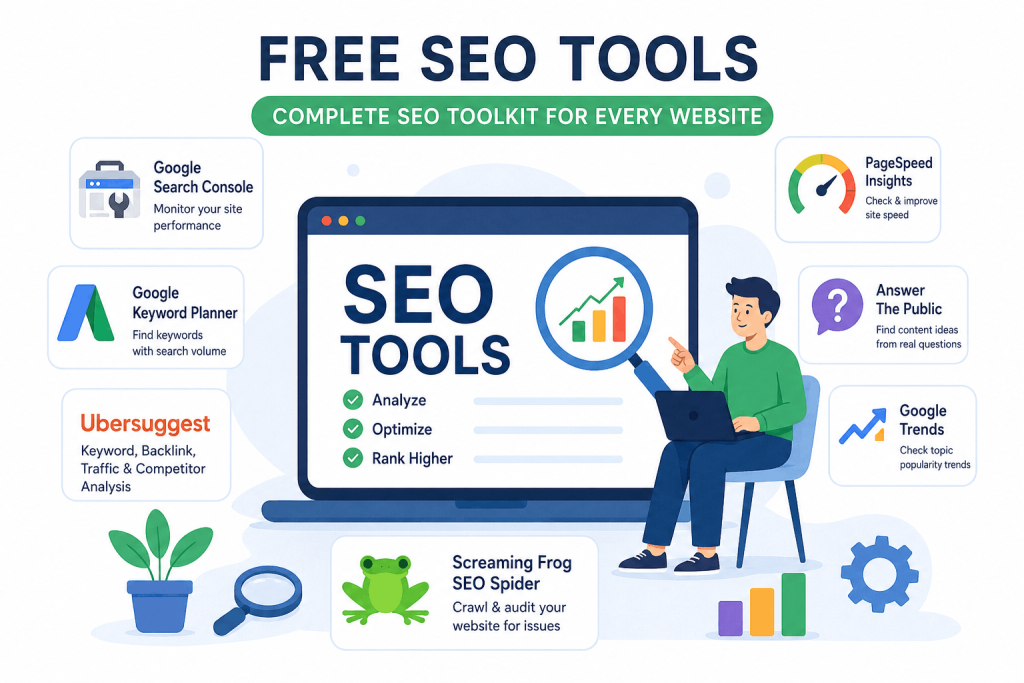
free seo tools
You don’t need to spend money to learn SEO. Many people think that SEO is impossible without paid tools like Ahrefs or SEMrush but that is not true. There are plenty of free SEO tools that are perfectly adequate for beginners, and some are even more reliable than paid ones.
This list features tools that actually work—categorized by function—so you can get started right away.
1. Google Search Console — Install This First
If you were to install only one tool on your website, it should be Google Search Console. its data is the most accurate because the source itself is Google.
It tells you:
- Which keywords your site is ranking for
- How many pages Google has indexed
- Which pages have crawl errors
- What your Core Web Vitals score is
- Where there are mobile usability issues
How to use it: Go to search.google.com/search-console — add your site, submit your sitemap, and check it once a week. After publishing a new post, manually request indexing via “URL Inspection” — this helps Google index it faster.
This tool is free, will always remain free, and no paid tool can replace it.
2. Google Keyword Planner — Accurate Search Volume Data
Google Keyword Planner is the most trustable free tool for keyword research because the data comes directly from Google, in place of being a third party tool.
You can access it via a Google Ads account creating an account is free and running ads is not required. With this tool.
- Check the monthly search volume for any keyword
- Get ideas for related keywords
- View competition levels (Low / Medium / High)
- Set location and language filters — perfect for India + Hindi
Best use: Before writing a new article check 5 to 10 related keywords and select the one that is most relevant and has low competition.
3. Ubersuggest — An All-in-One Tool for Beginners
Neil Patel’s Ubersuggest is a extensive free tool. The free plan offers 3 searches per day which is sufficient for beginners.
It provides the following in one place:
- Keyword search volume, difficulty score
- Competitor traffic and top pages
- Backlink checker
- Site audit (basic)
- Content ideas
Practical tip: Enter your competitor’s URL into Ubersuggest, check, Top Pages, identify the articles driving the most traffic to them, write a better, more in depth article on the same topic.
4. Google PageSpeed Insights — Site Speed Check
Google PageSpeed Insights provides a speed score for site mobile and desktop specifies exactly what needs fixing.
The score ranges from 0 to 100: a score above 90 is green, 50 to 89 is orange and below 50 is red. Simply show at the score is not enough check the Opportunities section below it for specific suggestions, such as Serve images in next gen formats or Remove unused JavaScript.
Make sure to run this check after installing any new theme or plugin as some plugins can significantly slow down your site.
5. Answer The Public — Best for Content Ideas
Deciding what new article to write can be difficult. Answer The Public offers a solution to this problem.
Simply type in your topic and it shows you the questions people are asking about it on Google . You get real user questions across categories.
How to use it: Type in SEO or keyword research and you will get a list of 50 to 100 real questions. Write an article based question that interests you most theres a good chance. it might even appear in Googles People Ask box.
The free plan offers 3 searches per day, which is sufficient for regular use.
6. Google Trends — Check Topic Trends
Before writing about a topic it is important to know whether public interest in rising or falling. Google Trends tells you exactly.
If you compare “SEO vs. Social Media Marketing,” you can clearly see which one is being searched for more, when traffic peaks, and which Indian states show the most interest.
Best use: Planning seasonal content. For instance, you should write “SEO tips for Diwali sale” in October because search volume increases during that time.
7. Screaming Frog SEO Spider — Site Audit
This is a advanced tool. Screaming Frog crawls your entire website just like Googlebot does and displays all issues in one place.
The free version allows you to crawl up to 500 pages, which is sufficient for small blogs.
It identifies:
- Broken links (404 errors)
- Missing meta descriptions
- Duplicate title tags
- Missing H1 tags
- Redirect chains
Run once a month and fix any issues found. This is a basic audit routine followed even by professional SEOs.
FAQ:
Are paid tools essential for SEO? Not at all in the beginning. Make do with free tools for the first 6–12 months. Consider tools Ahrefs or Semrush only when your site grows and have the budget.
What is the difference between Google Search Console and Google Analytics? Search Console shows how people reached your site keywords, impressions and clicks. Analytics shows after arriving how long they stayed, which pages they viewed and where they came from. Both are essential and both are free.
Conclusion:
You don’t need money; you need the right tools. Start with Google Search Console—set it up today if you haven’t already. Then, conduct research using Keyword Planner, gather ideas from Answer The Public, and optimize your speed with PageSpeed Insights.
By using all these tools together, you have a complete, free SEO toolkit—without needing any paid subscriptions.
